In today’s competitive business landscape, effective customer relationship management (CRM) is crucial for success. CRM software helps businesses streamline processes, enhance customer interactions, and drive growth.
With numerous CRM options available, selecting the right one can be daunting. Fortunately, several top-notch CRM solutions offer free plans without requiring a credit card. This article will explore the top 10 free CRMs in 2025, providing a comprehensive comparison to help you make an informed decision.
Key Takeaways
- Top CRM systems for 2025 that offer free plans
- Comparison of features and benefits of free CRM solutions
- Businesses can streamline processes and enhance customer interactions
- No credit card required for free CRM plans
- Comprehensive review of top 10 free CRMs in 2025
Why You Need a Free CRM in 2025
With the ever-changing landscape of business, a free CRM can be a game-changer for companies looking to streamline their operations. As we move into 2025, managing customer relationships effectively is more crucial than ever for businesses aiming to expand their customer base and boost sales.
The Evolution of CRM Software
CRM software has undergone significant transformations since its inception. Initially, CRM systems were primarily used for contact management. However, modern cloud-based CRM platforms have evolved to include a wide range of features such as sales pipeline tracking, automation, and analytics. This evolution has made CRM an essential tool for businesses of all sizes.
Benefits of Using a CRM Without Credit Card Requirements
One of the significant advantages of using a free CRM software for small businesses is that it allows companies to manage their customer relationships without incurring additional costs. Many free CRMs offer robust features without requiring credit card information, making it easier for startups to get started. According to Forbes, some of the top free CRMs provide excellent value without any financial commitment.
Key Features to Look for in Free CRMs
When selecting a free CRM, there are several key features to consider. These include:
| Feature | Description | Importance |
|---|---|---|
| Contact Management | Ability to store and manage customer contacts | High |
| Sales Pipeline Tracking | Capability to track sales opportunities | High |
| Automation | Automate repetitive tasks | Medium |
| Reporting and Analytics | Generate insights on sales performance | High |
By focusing on these features, businesses can find a CRM solution for startups that meets their needs and helps drive growth.
The Best Free CRM Options for 2025
With numerous CRM options available, selecting the best free CRM in 2025 can be a daunting task. Businesses need to consider several factors, including scalability, feature requirements, and user experience.
Differences Between Free and Paid CRMs
Free CRMs often come with limited features compared to their paid counterparts. However, they can still provide significant value to businesses, especially small teams or startups. Paid CRMs typically offer more advanced features, such as AI-powered sales forecasting and customizable workflows.
Limitations of Free CRM Software
While free CRM software can be highly beneficial, there are limitations to consider. These may include limited user capacity, restricted customer support, and limited integration with other tools. It’s essential to evaluate these limitations against your business needs.
How to Choose the Right Free CRM for Your Business
To choose the right free CRM, consider your business’s specific needs. Look for a CRM that offers scalability and ease of use. It’s also crucial to assess the CRM’s customer support and integration capabilities. As one CRM expert puts it, “The right CRM can transform your sales process, but it requires careful selection.”
By understanding the differences between free and paid CRMs and being aware of the limitations, businesses can make informed decisions when selecting a CRM in 2025.
HubSpot CRM: The All-in-One Solution
HubSpot CRM stands out as a comprehensive solution for businesses looking to streamline their sales, marketing, and customer service processes. As one of the best cloud-based CRM platforms, it offers a free plan that is both robust and user-friendly.
Key Features and Capabilities
HubSpot CRM’s free plan includes a wide range of features that cater to the needs of startups and small businesses. Some of the key features include:
- Contact management
- Sales pipeline tracking
- Email marketing integration
- Meeting scheduling tools
- Customizable reporting
These features are designed to work seamlessly together, providing a holistic view of customer interactions and enabling businesses to make informed decisions.
Setup and Implementation Guide
Setting up HubSpot CRM is straightforward. The process involves:
- Creating an account
- Importing contacts
- Configuring sales pipelines
- Integrating email and other tools
HubSpot provides extensive documentation and support to facilitate a smooth implementation process.
Best Use Cases
HubSpot CRM is particularly beneficial for startups and small businesses looking for an affordable and scalable CRM solution. It’s also suitable for businesses seeking to integrate their sales, marketing, and customer service functions.
Limitations to Consider
While HubSpot CRM offers a robust free plan, there are some limitations to consider, such as limited customization options for advanced users and potential costs associated with scaling certain features. However, for many businesses, the benefits far outweigh these limitations.
Zoho CRM: Powerful Free Tier for Small Teams
With its comprehensive free plan, Zoho CRM stands out as a top customer relationship management tool for small businesses. This CRM solution is designed to help small teams manage their customer interactions more effectively, without incurring significant costs.
Key Features and Capabilities
Zoho CRM’s free tier includes a range of essential features that are crucial for small businesses. Some of the key capabilities include:
- Contact management: Organize and manage your contacts efficiently.
- Sales tracking: Monitor your sales pipeline and track performance.
- Lead management: Capture, track, and manage leads effectively.
- Reporting: Generate insightful reports to inform your sales strategies.

Setup and Implementation Guide
Setting up Zoho CRM is straightforward. Here’s a simple guide to get you started:
- Sign up for a Zoho CRM account.
- Configure your CRM settings according to your business needs.
- Import your contacts and sales data.
- Customize your sales pipeline and stages.
Best Use Cases
Zoho CRM’s free tier is ideal for small businesses and startups looking for a robust CRM solution without the hefty price tag. It’s particularly useful for:
- Sales teams needing to track leads and manage their pipeline.
- Businesses looking to organize their customer data in one place.
Limitations to Consider
While Zoho CRM’s free tier is powerful, there are some limitations to be aware of, including:
- Limited user capacity.
- Restricted advanced features.
Despite these limitations, Zoho CRM remains a strong contender in the free CRM software for small businesses category, offering a balance of features and affordability.
Freshsales: AI-Powered Free CRM
Freshsales is revolutionizing the CRM landscape with its AI-powered free CRM solution. As a cloud-based CRM platform, it offers a range of features that cater to the needs of startups and small businesses.
Key Features and Capabilities
Freshsales’ free CRM plan includes advanced features such as:
- AI-driven lead scoring
- Sales pipeline management
- Contact and account management
- Integration with other Freshworks products
These features enable businesses to streamline their sales processes and improve customer engagement. According to Freshsales, their AI-powered CRM can help businesses “boost sales productivity by up to 30%”.
Setup and Implementation Guide
To get started with Freshsales, follow these simple steps:
- Sign up for a free account on the Freshsales website
- Configure your CRM settings and import contacts
- Set up sales pipelines and stages
- Start tracking leads and sales activities
Best Use Cases
Freshsales is particularly suitable for:
- Startups looking for a cost-effective CRM solution
- Small businesses seeking to streamline their sales processes
- Businesses looking to leverage AI-driven insights for sales forecasting
Limitations to Consider
While Freshsales offers a robust free CRM plan, some limitations apply, such as:
- Limited user seats (up to 10 users)
- Limited advanced features (e.g., AI-powered sales forecasting)
Despite these limitations, Freshsales remains a top choice among CRM solutions for startups and is considered one of the best free CRM 2025 options.
Bitrix24: Comprehensive Collaboration Tools
Bitrix24 stands out as a robust CRM solution, offering a comprehensive free plan that includes a wide array of collaboration tools. This makes it an attractive option for businesses looking to streamline their sales, marketing, and customer service processes.
Key Features and Capabilities
Bitrix24’s free plan includes project management tools, team chat, and CRM functionalities. These features enable businesses to manage their customer relationships, collaborate on projects, and communicate effectively within their teams.
The CRM capabilities include contact management, sales pipeline management, and marketing automation. Bitrix24 also offers a mobile app, allowing users to access their CRM on the go.
Setup and Implementation Guide
Setting up Bitrix24 is straightforward. The platform offers a guided setup process that helps users configure their CRM, project management, and collaboration tools.
Best Use Cases
Bitrix24 is ideal for small to medium-sized businesses that need a comprehensive CRM solution with collaboration tools. It’s particularly useful for teams that require project management and communication features alongside their CRM.
Limitations to Consider
While Bitrix24’s free plan is feature-rich, there are limitations on the number of users and storage space. Businesses with larger teams or those requiring more storage may need to upgrade to a paid plan.
| Feature | Free Plan | Paid Plan |
|---|---|---|
| Users | Up to 12 users | Unlimited |
| Storage | 5 GB | Starts at 1 TB |
| CRM Features | Basic CRM | Advanced CRM |
Agile CRM: Automation-Focused Solution
Agile CRM is a robust automation-focused solution for businesses looking to streamline their customer relationship management. As a cloud-based CRM platform, it offers a range of tools to automate marketing, sales, and customer service processes, making it an ideal choice for startups and small businesses.
Key Features and Capabilities
Agile CRM’s automation capabilities are among its most significant advantages. It allows businesses to automate repetitive tasks, such as email marketing campaigns and follow-up emails, freeing up time for more strategic activities. The platform also offers contact management, sales pipeline management, and telephony integration, providing a comprehensive CRM solution.
Setup and Implementation Guide
Setting up Agile CRM is straightforward. The platform provides a user-friendly interface that guides businesses through the setup process. It involves configuring the CRM to match the business’s sales process, importing contacts, and setting up automation rules. For detailed guidance, Agile CRM offers resources and support to help businesses get started quickly.
Best Use Cases
Agile CRM is particularly suited for businesses looking to automate their sales and marketing processes. It’s an excellent choice for companies that want to enhance customer engagement through personalized marketing campaigns and efficient follow-up processes. For more information on finding the best CRM for your business needs, you can check out ZDNet’s article on the best free CRM.
Limitations to Consider
While Agile CRM offers a robust free plan, there are limitations to consider. The free plan has restrictions on the number of users and contacts, which may not be sufficient for larger businesses. Additionally, some advanced features are only available in paid plans. Businesses should evaluate these limitations against their needs to determine if Agile CRM is the right free CRM software for small businesses.
StrideApp: Simplicity-First Approach
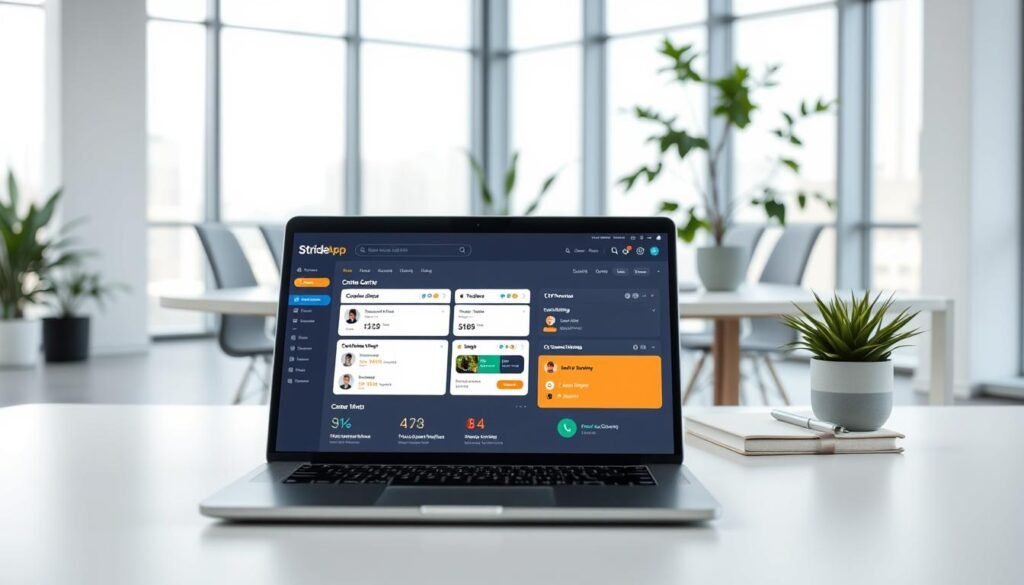
StrideApp offers a simplicity-first approach with its CRM integrated into Gmail, making it an attractive option for businesses looking for a straightforward customer relationship management tool. This integration allows users to manage their contacts, emails, and sales pipeline directly from their Gmail inbox.
Key Features and Capabilities
StrideApp’s CRM is packed with features that enhance its functionality. Some of the key features include:
- Contact Management: Easily manage your contacts and keep track of interactions.
- Email Tracking: Know when your emails are opened and clicked.
- Sales Pipeline Management: Visualize your sales process and move deals forward.
Setup and Implementation Guide
Setting up StrideApp’s CRM is straightforward. Users can start by installing the Gmail extension, followed by importing their contacts and setting up their sales pipeline. For a detailed guide, users can refer to Zapier’s guide on the best free, which includes step-by-step instructions.
Best Use Cases
StrideApp’s CRM is ideal for small businesses and sales teams that rely heavily on Gmail. It’s perfect for teams looking for a simple, intuitive CRM that integrates seamlessly with their existing email workflow.
Limitations to Consider
While StrideApp’s CRM offers a lot of value, there are some limitations to consider, such as limited customization options and the potential need for additional integrations for more complex workflows. Businesses should weigh these limitations against their needs.
Really Simple Systems: User-Friendly Interface
With its emphasis on simplicity, Really Simple Systems delivers a CRM experience that’s both accessible and efficient. This cloud-based CRM platform is designed to help small businesses manage their sales pipeline and customer interactions with ease.
Key Features and Capabilities
Really Simple Systems offers a range of features that make it an attractive option for small businesses. Some of its key capabilities include:
- Contact Management: Organize your contacts and keep track of interactions in one place.
- Sales Pipeline Tracking: Monitor your sales process and identify areas for improvement.
- Reporting and Analytics: Gain insights into your sales performance and make data-driven decisions.
Setup and Implementation Guide
Setting up Really Simple Systems is straightforward. The platform provides a simple and intuitive onboarding process that gets you up and running quickly. Here’s a brief overview of the setup process:
- Create an account and set up your CRM instance.
- Import your contacts and sales data.
- Configure your sales pipeline and workflow.
Best Use Cases
Really Simple Systems is ideal for small businesses and startups looking for a simple and affordable CRM solution. It’s particularly useful for businesses with a small sales team or those that are just starting out with CRM.
Limitations to Consider
While Really Simple Systems offers a robust free plan, there are some limitations to consider. These include limited user access and storage capacity. However, for many small businesses, the free plan provides a great starting point.
SuiteCRM: Open-Source Flexibility
SuiteCRM stands out as a versatile open-source CRM solution for businesses in 2025. It offers a range of features that cater to the diverse needs of sales teams and organizations looking for a customizable CRM system.
Key Features and Capabilities
SuiteCRM boasts an impressive array of features, including:
- Contact management
- Sales pipeline tracking
- Marketing automation
- Customer support tools
These features enable businesses to manage their customer relationships effectively and streamline their sales processes.
Setup and Implementation Guide
Implementing SuiteCRM involves several steps:
- Downloading and installing the software
- Configuring the system to meet your business needs
- Integrating it with existing tools and platforms
SuiteCRM’s open-source nature allows for extensive customization, making it easier to tailor the CRM to your specific requirements.
Best Use Cases
SuiteCRM is particularly suited for:
- Small to medium-sized businesses
- Organizations with complex sales processes
- Companies requiring a high degree of customization
Limitations to Consider
While SuiteCRM offers numerous benefits, it also has some limitations, including:
- The need for technical expertise for implementation and customization
- Potential compatibility issues with certain integrations
Despite these limitations, SuiteCRM remains a powerful and flexible CRM solution for businesses in 2025.
Insightly: Customer Relationship Intelligence
Insightly’s customer relationship intelligence capabilities make it an attractive option for businesses seeking to enhance their customer interactions. As a cloud-based CRM platform, Insightly offers a range of tools to help businesses manage their customer relationships effectively.
Key Features and Capabilities
Insightly provides a comprehensive set of features that cater to the needs of businesses, including contact management, project management, and sales pipeline management. Its customer relationship intelligence capabilities allow businesses to gain valuable insights into their customer interactions.
Some of the key features of Insightly include:
- Contact and project management
- Sales pipeline management
- Customizable dashboards and reporting
- Integration with other business applications
Setup and Implementation Guide
Setting up Insightly is a straightforward process that involves creating an account, configuring your settings, and importing your data. For more information on the best CRM software, you can visit Forbes.
Insightly provides a user-friendly interface that makes it easy to navigate and configure the platform to meet your business needs.
Best Use Cases
Insightly is particularly suited for businesses that require a high level of customer relationship intelligence. It is ideal for CRM solutions for startups and small businesses that need to manage their customer interactions effectively.
Limitations to Consider
While Insightly offers a range of features and capabilities, there are some limitations to consider, particularly in the free plan. These limitations include restricted user access and limited advanced features.
Despite these limitations, Insightly remains a strong contender in the best free CRM 2025 category, offering businesses a powerful tool to manage their customer relationships.
Conclusion: Choosing the Best Free CRM in 2025 for Your Business
Selecting the right free CRM in 2025 can significantly impact your business’s growth and customer relationships. The top CRM systems for 2025 offer a range of features, from contact management to advanced analytics. When conducting a free CRM comparison 2025, consider factors like scalability, ease of use, and integration capabilities.
The best free CRM 2025 should align with your business needs, whether you’re a small team or a growing enterprise. HubSpot CRM, Zoho CRM, and Freshsales are among the top contenders, each offering unique strengths. Evaluate these options based on your specific requirements to find the perfect fit.
Ultimately, the ideal CRM will streamline your sales processes, enhance customer engagement, and drive business success. By choosing a CRM that meets your needs, you’ll be well on your way to achieving your business goals in 2025.
Leave a Reply