
As a startup on a tight budget, managing customer relationships efficiently is crucial for growth and success. According to Forbes Advisor, when analyzing the best CRM software available, factors such as features, customer support, ease of use, user experiences, and integrations are considered.
Choosing the right CRM software can be overwhelming, especially with limited resources. This article will explore the best free CRM tools designed specifically for startups, helping you make an informed decision.
Key Takeaways
- Top CRM software options for small businesses
- Key features to consider when selecting a CRM
- Benefits of using CRM software for startups
- Popular free CRM tools for startups
- How to choose the best CRM for your business needs
Why Startups Need CRM Solutions
In the fast-paced world of startups, implementing a CRM system can be a game-changer for managing customer relationships. Startups often struggle to maintain a centralized system for tracking customer interactions, leading to missed opportunities and disorganized sales processes.
Customer Relationship Challenges for New Businesses
New businesses face significant challenges in managing customer relationships, including limited resources and a lack of streamlined processes. Without a proper CRM system, startups risk losing valuable customer data and failing to nurture leads effectively. According to a study, top CRM solutions for startups can help centralize sales information and processes for efficient relationship building.
How CRM Software Drives Growth and Retention
CRM software helps startups drive growth and retention by providing a centralized platform for managing customer interactions. By leveraging CRM tools, startups can enhance customer engagement, improve sales forecasting, and make data-driven decisions. The table below highlights the key benefits of using CRM software for startups.
| CRM Benefits | Description | Impact on Startups |
|---|---|---|
| Centralized Customer Data | Stores all customer information in one place | Improved customer insights and personalization |
| Enhanced Sales Forecasting | Provides accurate sales predictions based on historical data | Better decision-making and resource allocation |
| Streamlined Sales Processes | Automates routine sales tasks and workflows | Increased efficiency and reduced sales cycle times |
By adopting a CRM solution, startups can overcome common customer relationship challenges and set themselves up for long-term success.
Essential Features to Look for in Free CRM for Startups
The right free CRM can be a game-changer for startups, providing essential tools to manage customer relationships effectively. When evaluating CRM options, there are several key features to consider.
Contact and Lead Management Capabilities
A robust CRM should offer comprehensive contact and lead management features. This includes the ability to store and organize contact information, track interactions, and manage leads through the sales pipeline. For instance, Capsule CRM offers a user-friendly interface for managing contacts and leads.
Sales Pipeline Visualization
Visualizing your sales pipeline is crucial for understanding the sales process and identifying areas for improvement. A good CRM should provide a clear and customizable sales pipeline view, enabling you to track deals and forecast sales.
Reporting and Analytics Tools
To make informed decisions, startups need access to robust reporting and analytics tools. A CRM with strong reporting capabilities can help you analyze sales performance, customer behavior, and other key metrics.
Integration Possibilities
Integration with other business tools is vital for maximizing the effectiveness of your CRM. Look for a CRM that offers seamless integration with popular applications and services.
| Feature | Importance | Example CRM |
|---|---|---|
| Contact Management | High | Capsule CRM |
| Sales Pipeline Visualization | High | HubSpot CRM |
| Reporting and Analytics | Medium | Zoho CRM |
| Integration Possibilities | High | Freshsales |
By focusing on these essential features, startups can find an affordable CRM that meets their needs and supports their growth. When choosing a free CRM for small teams, it’s essential to consider the scalability and flexibility of the solution.
HubSpot CRM: The All-in-One Solution
For startups on a tight budget, HubSpot CRM offers an all-in-one solution that is both powerful and free. With its comprehensive set of features, HubSpot CRM supports startups in managing their customer relationships and sales processes efficiently.
Core Features Overview
HubSpot CRM is packed with features that cater to the needs of startups. It offers contact and lead management capabilities, sales pipeline visualization, and reporting and analytics tools. Contact management allows startups to organize their contacts and track interactions, while sales pipeline visualization helps in understanding the sales process and identifying bottlenecks.

Step-by-Step Setup Guide
Setting up HubSpot CRM is straightforward. Start by creating an account on the HubSpot website. Once you’ve signed up, you can begin importing your contacts and setting up your sales pipeline. HubSpot provides a user-friendly interface that guides you through the setup process.
Free vs. Paid Tiers: What You Get
HubSpot CRM offers a free version that supports up to two users and 1,000 contacts. The free tier includes essential features such as contact management, meeting scheduling, and email tracking. For more advanced features and larger teams, HubSpot offers paid tiers that include additional capabilities like marketing automation and advanced reporting.
Maximizing the Free Version
To get the most out of the free version, startups can leverage features like email integration and meeting scheduling. By integrating their email with HubSpot CRM, startups can track email opens and clicks, providing valuable insights into customer engagement. As noted by HubSpot, “the key to maximizing CRM value is to use it consistently and integrate it with other tools.”
“The right CRM can transform your sales process, making it more efficient and effective.”
By utilizing these features and tips, startups can effectively manage their customer relationships and drive growth using HubSpot CRM.
Zoho CRM: Robust Features for Growing Teams
Zoho CRM stands out as a versatile CRM solution, offering a range of features that support the growth of startups and small businesses. Its free edition is particularly appealing to growing teams, providing a comprehensive set of tools to manage customer relationships effectively.
Key Capabilities of Zoho’s Free Plan
Zoho CRM’s free plan supports teams of up to three users, allowing them to manage up to 5,000 records. This plan includes essential features such as contact and lead management, task tracking, and deal management. The CRM also offers one pipeline, which is crucial for visualizing the sales process and tracking progress.
Key features include:
- Contact and lead management
- Task tracking and deal management
- One pipeline for sales process visualization
Implementation Tutorial for Small Teams
Implementing Zoho CRM for small teams is straightforward. The process begins with setting up your account and configuring the CRM to suit your business needs. Zoho provides a step-by-step guide to help you through the setup process, ensuring that you can start using the CRM quickly.
Steps to implement Zoho CRM:
- Sign up for a Zoho CRM account
- Configure your CRM settings
- Import your contacts and leads
- Set up your sales pipeline
Customization Options for Different Industries
Zoho CRM offers customization options that allow businesses to tailor the CRM to their specific needs. This includes customizing fields, layouts, and modules to fit different industries and business models.
Automation Workflows in the Free Version
One of the powerful features of Zoho CRM is its automation capability, even in the free version. Businesses can set up automation workflows to streamline repetitive tasks, enhancing productivity and reducing manual errors.
By leveraging these features, growing teams can significantly improve their customer relationship management, streamline their sales processes, and drive business growth.
Freshsales: User-Friendly CRM for Sales Teams
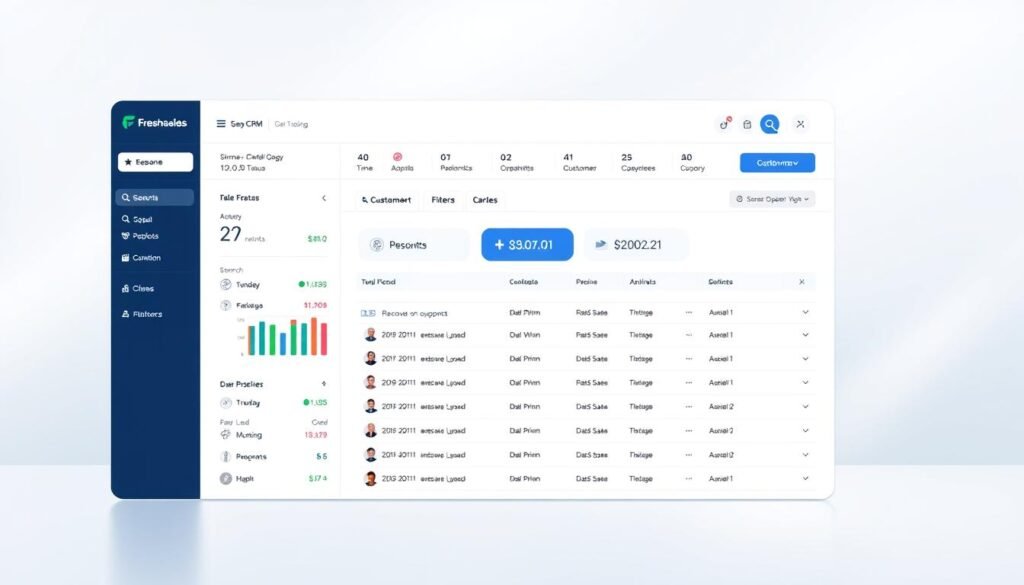
Among the best free CRM tools for startups, Freshsales is notable for its user-friendly interface. Freshsales offers a free plan for up to three users, making it an attractive option for small sales teams. Its sales pipeline, contact management tools, and dashboard for visualizing the sales process are particularly beneficial.
Standout Features for Sales Management
Freshsales stands out with its intuitive sales management features. The CRM provides a clear overview of the sales pipeline, allowing teams to track deals and identify bottlenecks. Contact management is also streamlined, with the ability to organize and segment contacts based on various criteria.
Setting Up Your Sales Pipeline
Setting up a sales pipeline in Freshsales is straightforward. The platform guides users through the process, making it easy to configure stages and track progress. For more information on setting up CRMs, you can visit https://www.close.com/blog/crms-for-startups.
Lead Scoring and AI Capabilities
Freshsales incorporates advanced lead scoring and AI capabilities to help sales teams prioritize leads. The AI-driven insights enable teams to make data-backed decisions and improve conversion rates.
Email Integration Best Practices
To maximize the effectiveness of Freshsales, integrating it with your email is crucial. Best practices include setting up email tracking, using email templates, and configuring email notifications to stay updated on lead interactions.
By leveraging these features, sales teams can enhance their productivity and efficiency, making Freshsales one of the top CRM solutions for startups. Its user-friendly design and robust capabilities make it an ideal choice for sales-driven teams looking to grow and succeed.
Agile CRM: Comprehensive Marketing Tools
With its comprehensive marketing tools, Agile CRM is an ideal choice for startups seeking to enhance their customer engagement. As an affordable CRM for startups, Agile CRM offers a robust suite of features that cater to the needs of growing businesses.
Marketing Automation Features
Agile CRM’s marketing automation capabilities allow businesses to automate repetitive tasks, thereby increasing efficiency and reducing manual labor. This feature is particularly beneficial for small teams that need to maximize their productivity.
Contact Management Capabilities
The CRM’s contact management system is designed to help businesses organize their customer data effectively. It allows for easy segmentation and categorization of contacts, making it easier to target specific audiences with tailored marketing campaigns.
Setting Up Email Campaigns
Agile CRM simplifies the process of setting up email campaigns, enabling businesses to reach their customers directly. The platform offers customizable email templates and scheduling options to ensure that campaigns are executed efficiently.
Social Media Integration
One of the standout features of Agile CRM is its social media integration, which allows businesses to monitor their social media presence and engage with customers across different platforms. This integration helps in maintaining a consistent brand image and improves customer service.
For small teams, Agile CRM serves as a free CRM for small teams, providing essential tools without the hefty price tag. This makes it an attractive option for startups looking to manage their customer relationships effectively without breaking the bank.
Bitrix24: Collaboration-Focused CRM
Bitrix24 is redefining the CRM landscape with its all-in-one platform that combines CRM, team collaboration, and project management. This cloud-based CRM for startups offers a flexible solution that can be tailored to the specific needs of growing businesses.
Team Collaboration Tools
One of the standout features of Bitrix24 is its team collaboration tools. These tools enable teams to work together more effectively, regardless of their location. With features like task assignment and progress tracking, teams can stay on top of their work and collaborate in real-time.
Project Management Integration
Bitrix24 also offers project management integration, allowing businesses to manage their projects and customer relationships in one place. This integration helps to streamline workflows and improve productivity.
Communication Features for Remote Teams
For remote teams, Bitrix24 provides robust communication features, including video conferencing and instant messaging. These features help to keep teams connected and ensure that everyone is on the same page.
Document Management Capabilities
Another key feature of Bitrix24 is its document management capabilities. This feature allows teams to store, share, and manage documents in a centralized location, making it easier to access important information when needed.
For startups looking for a comprehensive CRM solution, Bitrix24 offers a compelling option. You can explore their pricing plans and features in more detail by visiting their official pricing page. With its wide range of tools and features, Bitrix24 is an excellent choice for startups seeking a startup-friendly CRM software.
StrengthInNumbers: Data-Driven CRM for Analytical Startups
Analytical startups can significantly benefit from StrengthInNumbers CRM, which provides advanced tools for data analysis and visualization. This CRM solution is designed to cater to the specific needs of data-driven startups, enabling them to make informed decisions and drive business growth.
Advanced Reporting Features
One of the standout features of StrengthInNumbers CRM is its advanced reporting capabilities. The platform offers customizable reports that allow startups to track key performance indicators (KPIs) relevant to their business. With features like:
- Real-time data processing
- Automated report generation
- Drill-down capabilities for detailed insights
Startups can gain a deeper understanding of their customer interactions and sales pipeline.
Data Visualization Tools
The CRM also includes powerful data visualization tools that help in presenting complex data in an easily digestible format. Using interactive dashboards and visual charts, startups can quickly identify trends and patterns in their customer data. This enables them to:
- Identify areas of improvement
- Optimize their sales strategies
- Enhance customer engagement
Implementation Guide for Data-Focused Teams
For data-focused teams, implementing StrengthInNumbers CRM involves several key steps. First, it’s essential to define your data requirements and configure the CRM accordingly. Next, teams should:
- Integrate the CRM with existing data systems
- Customize the reporting and visualization tools
- Train team members on using the CRM effectively
By following these steps, startups can ensure a smooth implementation process and maximize the benefits of using StrengthInNumbers CRM.
In conclusion, StrengthInNumbers CRM is an excellent choice for analytical startups seeking a data-driven approach to customer relationship management. With its advanced reporting features, data visualization tools, and implementation guide, this CRM solution can help startups drive growth and improve customer relationships.
How to Choose the Right Free CRM for Your Startup
Finding the right free CRM can significantly impact your startup’s growth and customer relationships. With numerous options available, it’s essential to assess your business needs carefully.
Assessing Your Business Needs
Start by evaluating your startup’s specific requirements. Consider the size of your team, the complexity of your sales process, and the level of customer support you need. Identify the key features that are non-negotiable for your business, such as contact management, sales pipeline visualization, and reporting capabilities.
Evaluating Team Adoption Potential
The success of a CRM depends on how well your team adopts it. Choose a CRM that is user-friendly and intuitive, minimizing the learning curve for your team. Consider the mobile accessibility of the CRM, as it can significantly impact adoption rates.
Planning for Future Growth
While you’re selecting a free CRM, it’s crucial to think about your startup’s future growth. Opt for a CRM that can scale with your business, offering paid upgrades or additional features as needed. This will save you the hassle of switching CRMs as your business expands.
Testing Multiple Solutions
Don’t settle for the first CRM you come across. Test multiple CRM solutions to see which one fits your startup best. Take advantage of free trials or demos to evaluate the CRM’s performance and compatibility with your business needs.
As
“The right CRM can transform your startup’s customer relationships and drive growth.”
By carefully assessing your needs, evaluating team adoption potential, planning for future growth, and testing multiple solutions, you can choose the best free CRM for your startup.
Common Implementation Mistakes to Avoid
Implementing a CRM system can be a game-changer for startups, but it’s crucial to avoid common pitfalls. A well-planned implementation strategy can help ensure a smooth transition and maximize the benefits of using an affordable CRM for startups or a free CRM for small teams.
Data Migration Pitfalls
One of the most significant challenges is migrating existing data to the new CRM. To avoid data loss or corruption, it’s essential to map out your data migration process carefully. This includes cleaning and formatting your data before the migration.
Training Oversights
Insufficient training can lead to low user adoption rates. Providing comprehensive training and support is vital to ensure that your team can effectively use the CRM.
Integration Challenges
Integrating your CRM with other business applications can be complex. Ensuring that your CRM is compatible with your existing tools is crucial for a seamless workflow.
Overlooking Mobile Accessibility
In today’s mobile-first world, having a CRM that is accessible on mobile devices is no longer a luxury but a necessity. Ensure that your chosen CRM offers robust mobile capabilities.
| Mistake | Consequence | Solution |
|---|---|---|
| Data Migration Pitfalls | Data Loss or Corruption | Careful Data Mapping |
| Training Oversights | Low User Adoption | Comprehensive Training |
| Integration Challenges | Incompatible Systems | Ensure Compatibility |
| Overlooking Mobile Accessibility | Limited Accessibility | Choose CRM with Mobile Support |
Conclusion
Selecting the right cloud-based CRM for startups is crucial for managing customer relationships, streamlining sales processes, and driving business growth. As discussed, various CRM tools offer free plans, such as Agile CRM for up to 10 users and HubSpot for up to 2 users. Zoho Bigin provides a pipeline-centric CRM, while Zendesk offers free access to its product for startups for six months. When evaluating these options, consider your business needs, team adoption potential, and future growth plans.
By implementing the right CRM solution, startups can improve customer engagement, enhance sales performance, and make data-driven decisions. For more insights on CRM tools for startups, visit Appvizer’s CRM for Startups guide. This resource provides a comprehensive overview of CRM solutions tailored to the needs of small businesses and startups.
Leave a Reply