Growing companies often face the challenge of managing an increasing number of customer interactions, sales leads, and marketing campaigns. As a result, choosing the right CRM software becomes crucial for streamlining processes and driving growth.
With numerous options available, selecting the best CRM can be overwhelming. According to G2 Grid for CRM 2024, Salesforce is ranked #1 CRM for small business, mid-market, and enterprise companies, making it a top contender.
In this article, we will compare two popular CRM solutions, examining their features, pricing, and user experience to help you make an informed decision.
Key Takeaways
- Comparison of Salesforce and HubSpot CRM features
- Pricing plans for small businesses and enterprises
- User experience and interface evaluation
- Optimal CRM solution for managing company growth
- Key benefits of implementing a CRM system
Introduction to CRM Systems
The role of CRM in modern business cannot be overstated, as it provides the tools necessary for companies to build strong, lasting relationships with their customers. In today’s fast-paced business environment, effective CRM systems are crucial for managing customer interactions, optimizing sales processes, and enhancing overall customer satisfaction.
What is CRM?
CRM software utilizes methodologies, strategies, and technologies to manage an organization’s relationships and engagements with its customers. At its core, CRM is designed to help businesses streamline processes, improve customer service, and increase profitability. By leveraging CRM, companies can gain a deeper understanding of their customers’ needs and preferences, enabling them to tailor their marketing efforts more effectively.
According to a recent study, businesses that implement CRM systems see a significant improvement in customer retention and sales productivity. As noted by a CRM expert, “CRM is not just about technology; it’s about strategy, process, and people. It’s about understanding your customers and delivering value to them.”
“CRM is not just about technology; it’s about strategy, process, and people. It’s about understanding your customers and delivering value to them.”
Importance of CRM for Businesses
CRM systems are essential for businesses of all sizes, as they provide a centralized platform for managing customer data, tracking interactions, and analyzing customer behavior. The importance of CRM can be seen in several key areas:
- Enhanced customer service through personalized interactions
- Improved sales productivity by identifying new opportunities
- Better decision-making through data analysis and reporting
- Increased efficiency by automating routine tasks
For a more detailed comparison of CRM systems, you can visit Business.com to explore insights on Salesforce vs. HubSpot.
Overview of Popular CRMs
The market offers a variety of CRM solutions, each with its unique features and benefits. Some of the most popular CRM systems include Salesforce, HubSpot, Zoho CRM, and Microsoft Dynamics 365. Here’s a brief comparison:
| CRM System | Key Features | Target Audience |
|---|---|---|
| Salesforce | Advanced analytics, customization, integration | Large enterprises |
| HubSpot | Marketing automation, sales enablement, customer service | Small to medium-sized businesses |
| Zoho CRM | Affordable pricing, integration with Zoho apps | Small businesses |
Understanding the different CRM options available is crucial for businesses to make an informed decision that aligns with their specific needs and goals.
Salesforce Basics
As a leading CRM solution, Salesforce offers a comprehensive suite of tools to streamline sales processes, enhance marketing efforts, and improve customer service. This makes it an ideal choice for businesses looking to optimize their customer relationship management strategies.
Salesforce is renowned for its advanced sales management tools, marketing automation capabilities, and significant customization options. These features enable businesses to tailor the CRM to their specific needs, enhancing its effectiveness in managing sales, marketing, and customer service activities.
Key Features of Salesforce
Salesforce boasts a wide range of features that cater to the diverse needs of businesses. Some of its key features include:
- Advanced Sales Management: Salesforce provides tools for sales forecasting, performance tracking, and sales process automation, helping businesses to close deals more efficiently.
- Marketing Automation: With Salesforce, businesses can automate marketing campaigns, track customer interactions, and analyze marketing performance to optimize their strategies.
- Customer Service and Support: Salesforce offers robust customer service and support features, including case management, self-service portals, and customer service analytics.
- Customization and Integration: The platform allows for extensive customization and integrates with a wide range of third-party applications, enhancing its versatility and adaptability.
For a detailed comparison of Salesforce and HubSpot, you can visit Salesforce’s comparison page, which provides insights into how these CRM solutions stack up against each other.

Industries That Benefit Most from Salesforce
Salesforce’s versatility makes it suitable for various industries. However, it is particularly beneficial for:
- Financial Services: Salesforce helps financial institutions manage complex customer relationships, track interactions, and comply with regulatory requirements.
- Healthcare: The platform enables healthcare providers to manage patient data, streamline clinical workflows, and enhance patient engagement.
- Retail: Salesforce provides retail businesses with the tools to personalize customer experiences, manage sales channels, and analyze customer behavior.
- Manufacturing: Manufacturers can use Salesforce to manage sales processes, track customer interactions, and optimize supply chain operations.
By leveraging these features and capabilities, businesses across various industries can achieve significant benefits, from improved sales performance to enhanced customer satisfaction.
HubSpot Overview
In the realm of CRM systems, HubSpot has emerged as a powerful tool for managing sales, marketing, and customer service efficiently. HubSpot offers an integrated CRM suite designed for small to medium-sized businesses, with user-friendly interfaces for sales, marketing, and customer service.
Key Features of HubSpot
HubSpot’s CRM platform is packed with features that make it an ideal choice for businesses looking to streamline their operations. Some of the key features include:
- Contact and lead management
- Email tracking and notifications
- Meeting scheduling tools
- Integration with marketing and sales tools
- Customer service and support features
These features are designed to work seamlessly together, providing a comprehensive CRM solution that caters to the diverse needs of growing businesses.
Industries That Benefit Most from HubSpot
HubSpot’s versatility makes it suitable for various industries, but it particularly benefits:
- Small to medium-sized businesses looking for an easy-to-use CRM system.
- Marketing agencies that need to manage multiple client campaigns and contacts.
- E-commerce businesses requiring integrated sales and customer service tools.
By catering to these industries, HubSpot establishes itself as a versatile CRM platform capable of adapting to different business needs.
Comparing User Interface and Usability
The effectiveness of a CRM system is heavily influenced by its user interface and overall usability. A well-designed UI can significantly enhance user adoption and productivity, while a cumbersome interface can lead to frustration and decreased efficiency.
Salesforce User Experience
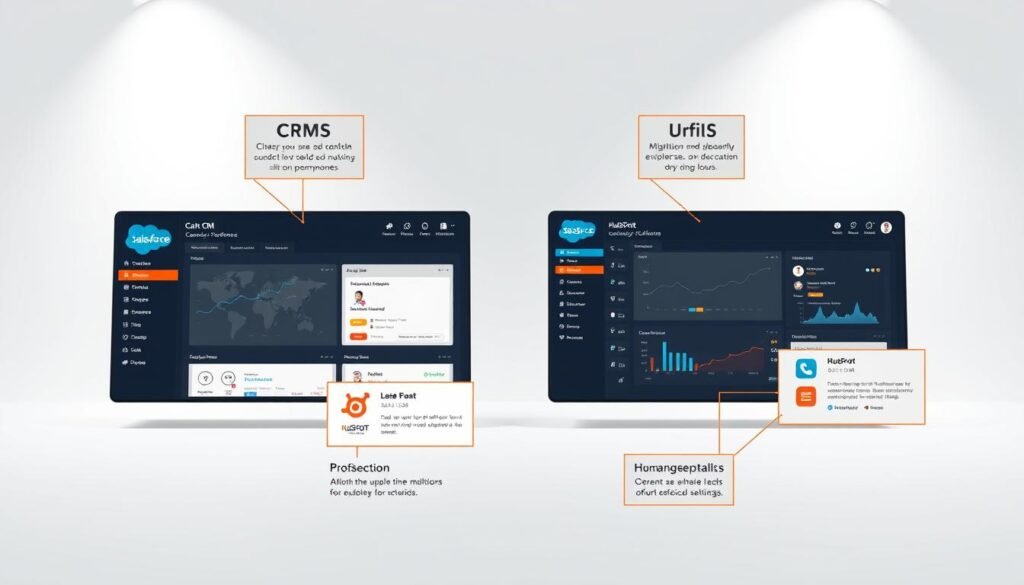
Salesforce is a powerful CRM platform with a wide range of features. However, its complexity can result in a steeper learning curve, particularly for non-technical users. The platform’s extensive customization options and numerous features can sometimes make it feel overwhelming. To mitigate this, Salesforce offers various training resources and support options to help users get up to speed. For more detailed information on Salesforce’s capabilities, you can visit our comparison article on HubSpot vs Salesforce.
HubSpot User Experience
In contrast, HubSpot is renowned for its intuitive and user-friendly interface. The platform is designed to be easy to navigate, even for those without extensive technical knowledge. HubSpot’s UI is clean and straightforward, making it easier for users to quickly find the information they need and perform tasks efficiently. This ease of use is a significant advantage for businesses looking to implement a CRM system with minimal disruption to their operations.
When comparing the user experience of Salesforce and HubSpot, it’s clear that both platforms have their strengths and weaknesses. While Salesforce offers powerful features that cater to complex business needs, HubSpot excels in providing a seamless and intuitive user experience. Ultimately, the choice between the two will depend on the specific needs and priorities of your business.
Pricing Structures of Salesforce and HubSpot
When evaluating CRM solutions, pricing is a critical factor that can influence the decision-making process. Both Salesforce and HubSpot offer different pricing plans tailored to various business needs, making it essential to compare their pricing structures and cost-effectiveness.
Salesforce Pricing Plans
Salesforce offers several pricing plans based on the level of functionality and support required. The pricing starts at $25 per user per month. According to Salesforce’s official documentation, the costs can escalate based on the number of users and the features needed.
Salesforce Pricing Tiers:
- Salesforce Essentials: $25 per user/month
- Salesforce Professional: $75 per user/month
- Salesforce Enterprise: $150 per user/month
- Salesforce Unlimited: $300 per user/month
HubSpot Pricing Plans
HubSpot, on the other hand, offers a free CRM with optional paid upgrades for additional features. This makes it an attractive option for small businesses or startups. For more information on HubSpot’s pricing, visiting their official pricing page is recommended.
HubSpot Pricing Tiers:
- HubSpot CRM: Free
- HubSpot Starter: $40 per user/month
- HubSpot Professional: $450 per month (minimum 5 users)
- HubSpot Enterprise: $1,200 per month (minimum 10 users)
For a detailed comparison of Salesforce and HubSpot pricing, you can refer to this article that provides an in-depth analysis.
Cost-Effectiveness for Small vs. Large Businesses
The cost-effectiveness of Salesforce versus HubSpot largely depends on the size and needs of the business. For small businesses, HubSpot’s free CRM and scalable pricing plans can be more appealing. In contrast, larger enterprises might find Salesforce’s comprehensive features and customization options worth the investment, despite the higher costs.
| CRM Platform | Starting Price | Best For |
|---|---|---|
| Salesforce | $25/user/month | Large Enterprises |
| HubSpot | Free | Small Businesses & Startups |
As noted by CRM experts, “The choice between Salesforce and HubSpot should be based on a thorough analysis of your business needs and budget.” A comparative analysis like this helps businesses make informed decisions.
“When choosing a CRM, it’s not just about the cost; it’s about the value it brings to your business operations.”
Integration Capabilities
The ability to integrate with other tools is crucial for businesses, and Salesforce and HubSpot deliver on this front. Integration capabilities are a key consideration when choosing a CRM, as they enable businesses to streamline processes, enhance productivity, and improve overall efficiency.
Salesforce Integration Options
Salesforce is renowned for its extensive integration ecosystem, boasting over 3,000 integrations available through its AppExchange platform. This vast array of integrations enables businesses to connect Salesforce with a wide range of third-party applications, from marketing automation tools to customer service software.
Key Integrations with Salesforce:
- Marketing automation tools like Marketo and Pardot
- Customer service and support tools like Zendesk
- Accounting and ERP systems like SAP
HubSpot Integration Options
HubSpot also offers a robust integration ecosystem, with over 1,000 native integrations available. These integrations enable businesses to connect HubSpot with a variety of third-party tools, enhancing its functionality and streamlining workflows.
Key Integrations with HubSpot:
- Sales and productivity tools like Gmail and Outlook
- Customer service platforms like Freshdesk
- E-commerce platforms like Shopify
Third-Party Tools Compatibility
Both Salesforce and HubSpot are compatible with a wide range of third-party tools, allowing businesses to tailor their CRM to their specific needs. This compatibility is crucial for ensuring seamless integration and maximizing the benefits of using a CRM.
| Integration Feature | Salesforce | HubSpot |
|---|---|---|
| Number of Integrations | Over 3,000 via AppExchange | Over 1,000 native integrations |
| Types of Integrations | Marketing, sales, customer service, ERP | Sales, marketing, customer service, e-commerce |
As highlighted by
“The right integrations can make or break your CRM’s effectiveness.” – CRM Expert
, choosing a CRM with robust integration capabilities is vital for businesses looking to maximize their CRM’s potential.
Customization and Scalability
Growing companies require CRM systems that can adapt to their changing needs, emphasizing the importance of customization and scalability. Both Salesforce and HubSpot offer unique approaches to these critical features.
Customization in Salesforce
Salesforce is renowned for its advanced customization capabilities, allowing businesses to tailor the CRM to their specific needs. With Salesforce, you can create custom objects, fields, and applications, providing a high degree of flexibility. This level of customization enables businesses to adapt Salesforce to their unique processes and requirements.
For instance, Salesforce’s Lightning platform offers a user-friendly interface for building custom applications without extensive coding knowledge. Additionally, Salesforce’s AppExchange marketplace provides a wide range of pre-built apps and integrations that can further enhance customization.
Customization in HubSpot
HubSpot, on the other hand, provides a more streamlined and user-friendly customization experience. It offers a range of customizable features, including custom objects, fields, and workflows, designed to be intuitive for users. This approach makes it easier for businesses to personalize their CRM without needing extensive technical expertise.
HubSpot’s focus on inbound marketing and sales alignment means its customization options are particularly geared towards enhancing customer engagement and sales processes. The platform’s user-friendly interface allows for easy adaptation to changing business needs.
Scalability for Growing Businesses
Scalability is a critical factor for growing businesses, as it ensures that the CRM can grow with the company. Both Salesforce and HubSpot offer scalable solutions, but their approaches differ. Salesforce is highly scalable, with a robust infrastructure that supports large enterprises. Its scalability is one of the key Salesforce benefits for businesses anticipating significant growth.
HubSpot also offers scalable solutions, with a focus on supporting mid-sized businesses and enterprises. Its cloud-based infrastructure allows for flexible scaling, ensuring that businesses can grow without being constrained by their CRM. HubSpot’s scalability, combined with its feature-rich platform, makes it an attractive option for growing companies.
In conclusion, both Salesforce and HubSpot offer robust customization and scalability features. The choice between them will depend on the specific needs of your business, including the level of customization required and the anticipated growth trajectory.
Customer Support and Resources
Both Salesforce and HubSpot understand the importance of providing robust customer support and resources to their users. Effective customer support can make a significant difference in the overall user experience, helping businesses to maximize the benefits of their CRM investment.
Salesforce Support Options
Salesforce offers a comprehensive range of support options, including 24/7 customer support via phone, email, and online chat. Their extensive knowledge base and community forums provide users with a wealth of information to help resolve issues and improve their CRM skills.
One of the standout features of Salesforce’s support is their Trailhead platform, which offers interactive tutorials and training modules to help users get the most out of their CRM. As noted by a Salesforce expert, “Trailhead is an invaluable resource for businesses looking to upskill their teams and maximize their CRM investment.”
“Trailhead has been instrumental in helping our team understand the full capabilities of Salesforce, allowing us to streamline our sales processes and improve customer engagement.”
HubSpot Support Options
HubSpot also provides a range of support options, including premium support for higher-tier plans. Their support team is available via phone, email, and online chat, and they offer an extensive knowledge base and community forums.
HubSpot’s support resources are designed to be user-friendly and accessible, with a focus on helping businesses succeed with their CRM. As HubSpot notes, “Our support team is here to help you every step of the way, from implementation to optimization.”
Training and Resources Available
Both Salesforce and HubSpot offer extensive training and resources to help businesses get the most out of their CRM. Salesforce’s Trailhead platform is a standout resource, providing interactive training and tutorials.
HubSpot’s training resources include HubSpot Academy, which offers free training and certification programs for businesses. Their blog and community forums also provide valuable insights and best practices for CRM users.
- Salesforce Trailhead: Interactive training and tutorials
- HubSpot Academy: Free training and certification programs
- Community forums: Knowledge sharing and support
In conclusion, both Salesforce and HubSpot offer robust customer support and resources to their users. By understanding the support options and training resources available, businesses can make an informed decision about which CRM is best for their needs.
User Reviews and Case Studies
Understanding the real-world impact of CRM systems like Salesforce and HubSpot requires examining user reviews and case studies. By looking at the experiences of existing customers, businesses can gain valuable insights into which CRM might best suit their needs.
Salesforce Customer Feedback
Salesforce has garnered a significant amount of positive feedback from its customers. With a 99% customer satisfaction rate, it’s clear that the platform has made a positive impact on many businesses. Customers often praise Salesforce for its comprehensive feature set, scalability, and robust customer support.
For instance, a study by CRM Magazine highlighted that Salesforce users appreciate the platform’s ability to integrate with other business applications, enhancing overall operational efficiency.
HubSpot Customer Feedback
HubSpot also enjoys a high level of customer satisfaction, with users frequently commending its user-friendly interface and the effectiveness of its inbound marketing tools. HubSpot’s ability to provide a holistic view of customer interactions is particularly valued by its users.
A notable review on G2 praised HubSpot for its ease of use and the comprehensive nature of its CRM features, stating that it has significantly streamlined their sales processes.
Success Stories from Both Platforms
Both Salesforce and HubSpot have numerous success stories that demonstrate their capabilities. For example, companies using Salesforce have seen significant improvements in sales productivity and customer engagement. On the other hand, HubSpot has helped businesses grow their customer base through effective inbound marketing strategies.
| CRM Platform | Key Benefits | Customer Satisfaction Rate |
|---|---|---|
| Salesforce | Comprehensive features, scalability, robust support | 99% |
| HubSpot | User-friendly interface, effective inbound marketing tools | 95% |
By examining these success stories and customer feedback, businesses can make more informed decisions about which CRM platform aligns best with their goals and needs.
Which CRM Is Best for Your Business?
The decision between Salesforce and HubSpot hinges on understanding your business needs and how each CRM can fulfill them. Both platforms offer robust solutions, but the best choice depends on several factors including business size, specific needs, and budget.
Factors to Consider When Choosing
When deciding between Salesforce and HubSpot, there are several key factors to consider:
- Business Size: Smaller businesses might prefer HubSpot for its ease of use and integrated marketing tools, while larger enterprises might lean towards Salesforce for its advanced customization and scalability.
- Specific Needs: Consider what features are most important to your business. If you need advanced sales forecasting, Salesforce might be the better choice. For inbound marketing focus, HubSpot could be more suitable.
- Budget: Evaluate the cost of each CRM, including any additional fees for features or user licenses. HubSpot offers a more straightforward pricing model, while Salesforce can become costly with added features.
Pros and Cons of Each Platform
Understanding the pros and cons of each CRM is crucial for making an informed decision.
| CRM | Pros | Cons |
|---|---|---|
| Salesforce | Highly customizable, scalable, advanced analytics | Complex setup, costly, steep learning curve |
| HubSpot | User-friendly, integrated marketing tools, cost-effective for small businesses | Limited advanced features compared to Salesforce, less scalable |
By carefully weighing these factors and understanding the pros and cons, businesses can make an informed decision that aligns with their growth strategies.
Conclusion: Making an Informed Decision
Choosing between Salesforce and HubSpot CRM depends on your business needs. Both platforms offer powerful capabilities, but the best fit varies based on specific requirements.
Key Considerations for Your Business
When deciding on a CRM, consider factors such as user interface, pricing, integration capabilities, and customization options. Salesforce is known for its robust features and scalability, making it suitable for large enterprises. HubSpot, on the other hand, is user-friendly and ideal for growing businesses seeking an all-in-one marketing and sales solution.
Next Steps for Implementation
To make an informed decision, evaluate your business needs and compare them with the features of each CRM. Take advantage of free trials or demos to experience the platforms firsthand. Consider your salesforce vs hubspot crm options carefully, and choose the one that aligns best with your business goals. By doing so, you’ll be well on your way to implementing a CRM that drives growth and success.
Leave a Reply