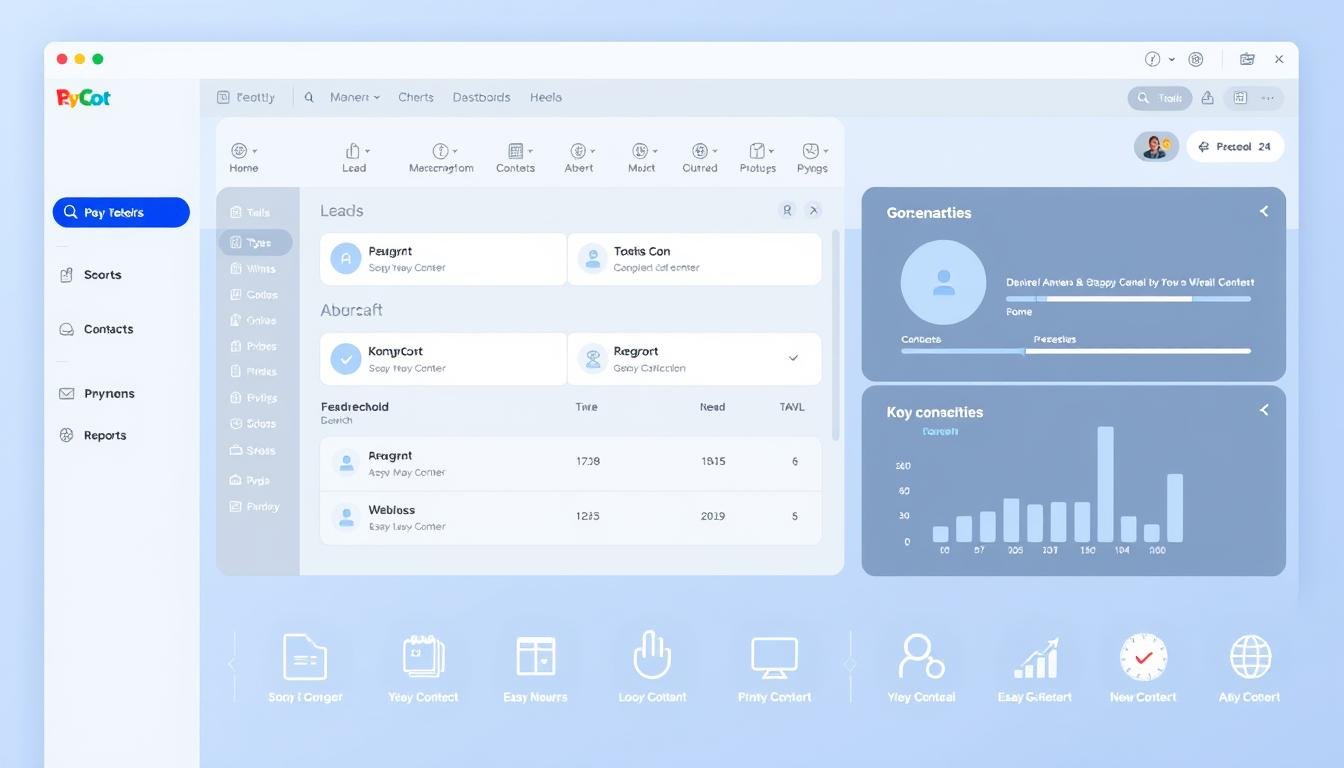
Managing customer relationships is crucial for any business, but it can be overwhelming without the right tools. A customer relationship management system that is both powerful and easy to use is essential, especially for non-techies.
Recent reviews have highlighted Zoho CRM and HubSpot CRM as top contenders for their intuitive interfaces. In this article, we’ll explore the top 10 CRMs that offer the best UI, discussing their features, pricing, and what makes them stand out.
Key Takeaways
- Top 10 CRMs with the best UI for non-techies
- Features and pricing of the top CRMs
- What makes these CRMs stand out
- How to choose the right CRM for your business
- Benefits of using a user-friendly CRM
What Makes a CRM User-Friendly?
In today’s fast-paced business environment, a CRM that is both efficient and easy to use is no longer a luxury, but a necessity. An intuitive CRM can significantly enhance user adoption and overall productivity by simplifying complex processes.
When evaluating a CRM for its user-friendliness, there are several key features to consider. According to Forbes, features like pipeline management, integrated email marketing, and customizable dashboards are crucial for a user-friendly CRM.
Key Features to Look For
A user-friendly CRM should have a range of features that make it easy to manage contacts, sales, and customer interactions. Some of the key features to look for include:
- Pipeline Management: The ability to visualize and manage sales pipelines effectively.
- Contact and Sales Management: Efficiently organizing and managing contact information and sales interactions.
- Automation Capabilities: Automating repetitive tasks to save time and reduce manual errors.
- Customizable Dashboards: Personalizing the CRM interface to meet individual user needs.
Importance of Intuitive Design
The design of a CRM plays a critical role in its usability. An intuitive design ensures that users can navigate the system easily and perform tasks without needing extensive training. This not only improves user satisfaction but also increases the likelihood of successful CRM adoption across the organization.
An efficient CRM platform with great user experience can lead to improved sales performance, better customer service, and enhanced collaboration among teams. By focusing on the key features and intuitive design, businesses can select a CRM that meets their needs and drives long-term success.
Criteria for Selecting CRMs
To pick the best CRM for your business, you need to assess your specific requirements. Choosing a CRM solution for beginners or a more advanced system depends on several factors, including the size of your sales team and industry-specific needs.
Assessing Your Business Needs
Understanding your business needs is crucial when selecting a CRM. Consider the size of your sales team, the complexity of your sales process, and any industry-specific features you might require. For instance, if you’re in the real estate industry, you might need a CRM that integrates with property listing services.
Beginners should look for CRMs with a gentle learning curve and robust onboarding processes. According to Gestisoft, a well-chosen CRM can significantly enhance your sales team’s productivity.

Budget Considerations
Budget is another critical factor when choosing a CRM. Costs can vary widely depending on the CRM’s features, the number of users, and the level of customer support required. It’s essential to evaluate the total cost of ownership, including any additional fees for customization or integration.
Here is a comparison table of popular CRMs and their pricing models:
| CRM | Basic Plan | Premium Plan | Enterprise Plan |
|---|---|---|---|
| Salesforce Essentials | $25/user/month | $75/user/month | Custom Pricing |
| HubSpot CRM | Free | $40/user/month | $120/user/month |
| Zoho CRM | $12/user/month | $20/user/month | $45/user/month |
When evaluating CRM options, consider not just the initial cost but also the long-term value they can bring to your business. A top-rated CRM software may offer more features and better support, potentially saving you money in the long run.
Top User-Friendly CRMs to Consider
In the realm of CRM solutions, some platforms have distinguished themselves by being exceptionally user-friendly. These CRMs not only simplify sales and customer management but also enhance overall business productivity.
Salesforce Essentials
Salesforce Essentials stands out for its intuitive interface and streamlined features, making it an ideal choice for small to medium-sized businesses. It offers a simplified sales and customer service experience, allowing users to manage contacts, accounts, and opportunities efficiently.
HubSpot CRM
HubSpot CRM is renowned for its comprehensive free tier and seamless integration with other HubSpot tools. It’s designed to be highly intuitive, allowing users to track contacts, meetings, and sales activities with ease.
Zoho CRM
Zoho CRM is tailored to meet the needs of small businesses, offering customization options that allow businesses to tailor the CRM to their specific needs. Its mobile accessibility ensures that users can manage their sales processes on the go.
Pipedrive
Pipedrive is perfect for sales teams, focusing on visual pipeline management. It provides a clear visual representation of the sales process, enabling teams to track deals and identify bottlenecks effectively.
Here’s a comparison of these top user-friendly CRMs:
| CRM | Key Features | User Experience |
|---|---|---|
| Salesforce Essentials | Simplified sales and customer service, contact management | Highly intuitive, streamlined interface |
| HubSpot CRM | Comprehensive free tier, integration with HubSpot tools | Seamless, easy to navigate |
| Zoho CRM | Customization options, mobile accessibility | Tailored to small businesses, user-friendly |
| Pipedrive | Visual pipeline management, activity-based tracking | Clear visual representation, easy to use |
When choosing a CRM, it’s essential to consider the specific needs of your business. Each of these CRMs offers unique strengths, making them worth considering for businesses seeking a user-friendly CRM solution.
Salesforce Essentials: Overview and Benefits
For businesses seeking an efficient CRM platform, Salesforce Essentials stands out with its robust features and user-friendly interface. Designed for small to medium-sized businesses, it offers a tailored solution that meets the specific needs of growing teams.

As noted by Salesforce, “Salesforce Essentials is designed to help small businesses manage their sales, marketing, and customer service activities in one place.” This encapsulates the essence of Salesforce Essentials, making it an ideal choice for businesses looking to streamline their operations.
Ideal Users
Salesforce Essentials is particularly beneficial for businesses that are looking for a CRM with great user experience. It’s ideal for teams that need to manage customer interactions across multiple channels but may not have extensive technical expertise.
- Small to medium-sized businesses
- Teams looking for a user-friendly CRM interface
- Businesses seeking to streamline sales, marketing, and customer service activities
Ease of Use Features
One of the standout features of Salesforce Essentials is its intuitive interface, which makes it easy for new users to get started quickly. The platform offers a range of tools and features that simplify customer relationship management, including:
- Simplified sales and marketing tools
- Enhanced customer service capabilities
- Seamless integration with other Salesforce products
To learn more about how Salesforce Essentials can benefit your business, visit the official Salesforce CRM page. With its comprehensive features and user-centric design, Salesforce Essentials is a top choice for businesses aiming to enhance their customer relationship management capabilities.
HubSpot CRM: Why It’s Popular
The popularity of HubSpot CRM can be attributed to its extensive range of tools and features tailored for businesses of all sizes. As a top-rated CRM software, it offers a comprehensive solution that meets the diverse needs of businesses.
Comprehensive Free Tier
One of the key reasons HubSpot CRM is favored by many is its comprehensive free tier. This offering includes a wide range of features that are typically found in paid CRM solutions, making it an attractive CRM solution for beginners. The free tier includes contact management, meeting scheduling, and email tracking, among other features.
Businesses can leverage these features without incurring significant costs, allowing them to manage their customer relationships effectively. This makes HubSpot CRM an excellent choice for startups and small businesses looking for a reliable CRM system.
Integration Capabilities
Another significant advantage of HubSpot CRM is its seamless integration with other HubSpot tools and third-party applications. This integration capability enables businesses to create a cohesive ecosystem that streamlines their sales, marketing, and customer service processes.
By integrating with other tools, businesses can automate tasks, enhance data analysis, and improve overall efficiency. This level of integration is a hallmark of the best CRM software, and HubSpot CRM delivers on this front, making it a popular choice among businesses seeking to optimize their operations.
Zoho CRM: Tailored for Small Businesses
For small businesses looking for a CRM that is both powerful and easy to use, Zoho CRM stands out as a top choice. With its extensive customization options and mobile accessibility, Zoho CRM is designed to meet the unique needs of small businesses.
One of the key benefits of using Zoho CRM is its customization options. Businesses can tailor the CRM to their specific needs, creating custom modules, fields, and layouts as required.
Customization Options
Zoho CRM offers a range of customization options, including:
- Custom modules and fields
- Personalized layouts
- Custom workflows and approval processes
By leveraging these customization options, small businesses can create a CRM that is tailored to their specific needs, improving user adoption and overall CRM effectiveness.
Mobile Accessibility
In today’s mobile-first world, having a CRM that is accessible on-the-go is crucial. Zoho CRM offers mobile accessibility, allowing users to access customer data and manage sales processes from anywhere.
As noted by Zoho, “Our CRM is designed to be intuitive and easy to use, even for those who are not tech-savvy.”
“The mobile app is a game-changer for our sales team, allowing them to access customer data and update records on the go.”
To give you a better idea of how Zoho CRM compares to other CRM solutions, here is a comparison table:
| CRM Solution | Customization Options | Mobile Accessibility |
|---|---|---|
| Zoho CRM | Extensive customization options | Highly mobile-friendly |
| Salesforce Essentials | Limited customization options | Mobile-friendly |
| HubSpot CRM | Moderate customization options | Mobile-friendly |
For more information on how Zoho CRM can benefit your small business, visit Zoho CRM for Small Businesses.
Pipedrive: Perfect for Sales Teams
For sales teams looking for an efficient CRM platform, Pipedrive is a highly recommended option. It is designed with the specific needs of sales teams in mind, offering a range of features that enhance productivity and streamline sales processes.
Visual Pipeline Management
Pipedrive’s visual pipeline management is one of its standout features. It provides a clear and intuitive visual representation of the sales pipeline, allowing teams to track deals and identify potential bottlenecks easily. This feature is crucial for sales teams as it enables them to manage their sales processes more effectively.
- Drag-and-drop functionality for easy deal management
- Customizable pipeline stages to fit your sales process
- Clear visualization of sales performance
Activity-Based Tracking
In addition to its visual pipeline management, Pipedrive also offers activity-based tracking. This feature allows sales teams to track all interactions with clients and prospects, ensuring that no follow-up activities are missed. By staying on top of these activities, sales teams can build stronger relationships with their clients and close deals more efficiently.
- Automated activity reminders to stay on track
- Detailed logging of all client interactions
- Insights into sales team performance
Pipedrive’s combination of visual pipeline management and activity-based tracking makes it a CRM with great user experience. Its user-friendly interface and robust features make it an excellent choice for businesses looking to enhance their sales processes. By implementing Pipedrive, sales teams can expect to see improvements in their productivity and sales performance.
Honorable Mentions in User-Friendly CRMs
While we’ve covered the top four CRMs, there are other notable mentions that deserve attention for their user-friendly interfaces. Freshsales, Insightly, and Bitrix24 are standout options that offer a range of features tailored to different business needs.
Freshsales
Freshsales is a CRM solution for beginners that doesn’t compromise on advanced features. It offers a clean interface, intuitive navigation, and robust sales tools. One of its key features is the ability to track email opens, clicks, and responses directly within the CRM.
“Freshsales has revolutionized the way we manage our sales pipeline, making it easier to close deals and track customer interactions.” – A satisfied Freshsales user.
Insightly
Insightly is another top-rated CRM software that shines with its project management integration. It’s designed to help businesses manage their sales, projects, and customer relationships in one place. Insightly’s interface is highly customizable, making it adaptable to various business needs.
| CRM | Key Features | User Experience |
|---|---|---|
| Freshsales | Email tracking, sales pipeline management | Intuitive, user-friendly |
| Insightly | Project management integration, customization options | Highly adaptable, easy to navigate |
| Bitrix24 | Comprehensive CRM features, social intranet | Feature-rich, slightly complex |
Bitrix24
Bitrix24 is a comprehensive best CRM software that offers more than just CRM functionalities. It includes a social intranet, project management tools, and document management. While it has a lot to offer, its extensive features can make it slightly more complex to navigate for beginners.
In conclusion, Freshsales, Insightly, and Bitrix24 are honorable mentions in the user-friendly CRM space. Each offers unique strengths and can be a great choice depending on your business needs.
Final Thoughts on Choosing a User-Friendly CRM
Selecting the right customer relationship management system is crucial for businesses aiming to enhance their sales and customer management processes. A user-friendly CRM can significantly simplify work, not complicate it, with features like workflow automation and job scheduling tools. When choosing a CRM, it’s essential to consider a system that offers easy job and customer management, automation tools, and cloud-based access.
Long-Term Value and Scalability
A user-friendly CRM should provide long-term value, growing with your business and offering flexible subscription plans. Ensuring the CRM is scalable and integrates seamlessly with existing tools is vital for successful adoption.
User Training and Ongoing Support
Investing in user training and support is critical to maximize the benefits of an easy-to-use CRM. According to Forbes, considering long-term value and user training is essential when choosing a CRM. By doing so, businesses can ensure their team effectively utilizes the CRM, leading to improved customer relationships and sales performance.
Leave a Reply